
ERP Functionality Checklist: Unlock Full Potential with the Right Features
ERP Functionality Checklist

Did you know that businesses lose up to 30% of their operational efficiency simply because they aren't leveraging the full functionality of their ERP system? Many organizations invest heavily in enterprise resource planning software but only scratch the surface of what it can do.
An ERP system is only as powerful as the features you actively use. From financial management and supply chain optimization to advanced analytics and mobile accessibility, the right combination of ERP functionalities can transform your entire operation. The challenge lies in knowing which features matter most for your business and ensuring nothing critical falls through the cracks.
This comprehensive ERP functionality checklist covers the 10 essential functional areas every organization should evaluate when selecting, implementing, or optimizing their ERP system. Whether you're exploring a new ERP solution or auditing your current setup, this guide will help you unlock the full potential of your investment.
10-Point Guide to ERP System Features
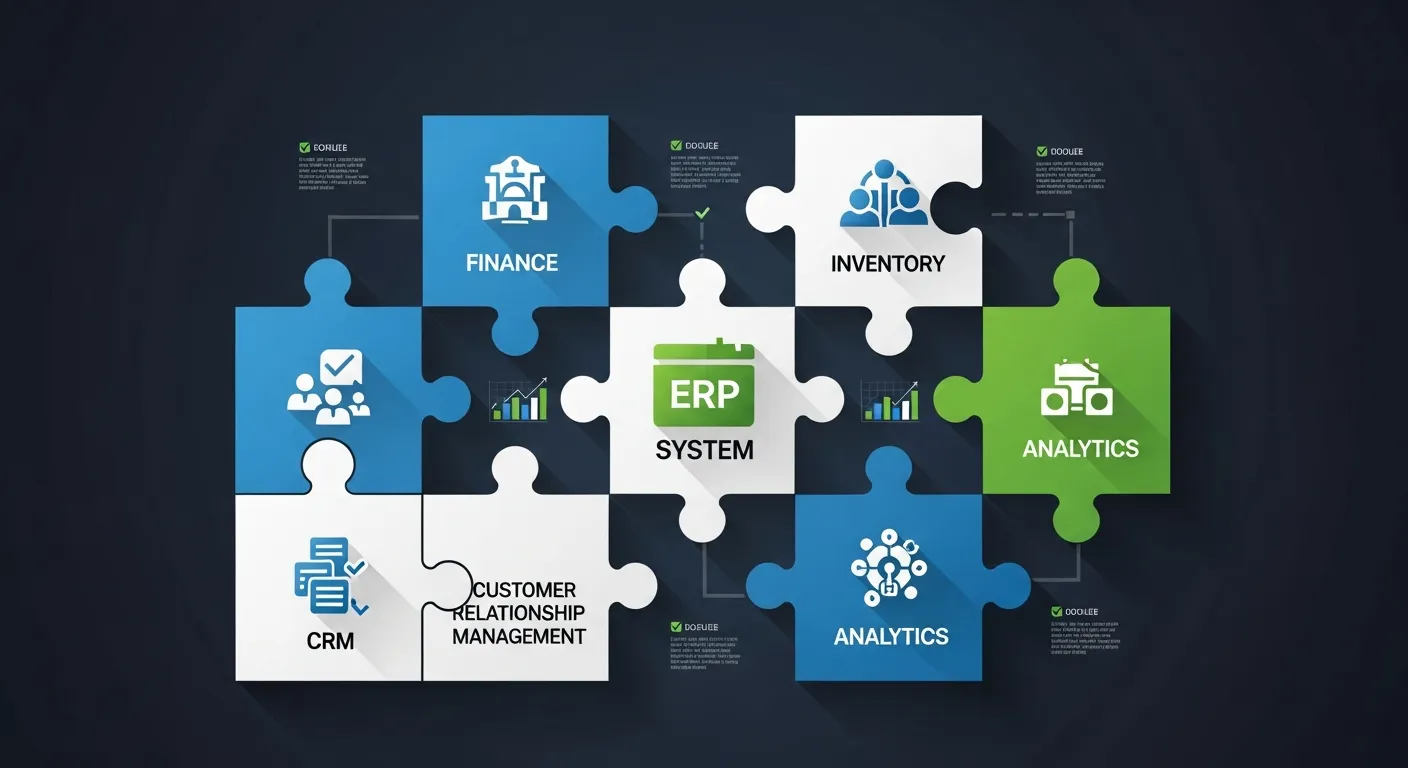
A modern ERP system is a complex ecosystem of interconnected modules, each designed to address a specific area of business operations. To ensure your ERP delivers maximum value, it's essential to evaluate functionality across all critical domains. Here are the 10 key functional areas every ERP buyer and user should assess:
- Financial Management – The backbone of any ERP system
- Supply Chain Management – End-to-end visibility and control
- Manufacturing – Production planning and execution
- Human Resources – People management and compliance
- CRM – Customer relationship and sales management
- Business Intelligence – Data-driven decision making
- Project Management – Planning, tracking, and delivery
- E-commerce Integration – Unified online and offline commerce
- Mobile Accessibility – Anytime, anywhere access
- Integration and Customization – Flexibility and scalability
1. Financial Management: The Foundation of Business Control
Financial management is the cornerstone of any ERP system. It provides the tools necessary to track, manage, and report on all financial transactions across your organization. A robust financial module ensures accuracy, compliance, and real-time visibility into your company's financial health.
- General Ledger Management – Centralized chart of accounts with multi-dimensional tracking for departments, cost centers, and projects
- Accounts Payable (AP) – Automated invoice processing, vendor payment scheduling, and three-way matching for purchase orders
- Accounts Receivable (AR) – Customer billing, credit management, collections tracking, and aging analysis
- Fixed Asset Management – Asset lifecycle tracking including acquisition, depreciation, maintenance, and disposal
- Cash Management – Cash flow forecasting, bank account management, and liquidity planning across all accounts
- Budgeting and Forecasting – Multi-level budget creation, variance analysis, and rolling forecast capabilities
- Financial Reporting – Automated generation of balance sheets, income statements, cash flow statements, and custom financial reports
- Multi-Currency Support – Real-time currency conversion, exchange rate management, and multi-currency transaction processing
- Tax Management – Automated tax calculations, multi-jurisdiction compliance, and tax reporting for local and international regulations
- Bank Reconciliation – Automated matching of bank statements with internal records, exception handling, and reconciliation reporting
2. Supply Chain Management: End-to-End Visibility
Supply chain management capabilities within your ERP system ensure seamless coordination from procurement to delivery. An effective supply chain module reduces costs, minimizes stockouts, and improves overall operational agility.
- Inventory Management – Real-time stock tracking across multiple warehouses with automated reorder points and safety stock calculations
- Purchase Order Management – Streamlined procurement with approval workflows, vendor selection, and purchase order tracking from creation to receipt
- Supplier Management – Vendor performance scorecards, supplier qualification tracking, and centralized supplier information database
- Warehouse Management – Optimized warehouse operations including bin location management, pick-pack-ship processes, and space utilization
- Order Fulfillment – End-to-end order processing from receipt to delivery with real-time status tracking and customer notifications
- Demand Forecasting – AI-powered demand prediction using historical data, seasonal trends, and market indicators for accurate planning
- Shipping and Logistics – Carrier management, freight calculation, shipment tracking, and delivery route optimization
- Returns Management – Streamlined reverse logistics with RMA processing, return tracking, and automated refund or replacement workflows
- Barcode and RFID Scanning – Automated data capture for inventory movements, receiving, shipping, and cycle counting accuracy
- Lot and Serial Number Tracking – Full traceability for regulated industries with batch tracking, expiration management, and recall capabilities
3. Manufacturing: Production Planning and Execution
Manufacturing modules are essential for organizations that produce goods. These capabilities streamline production processes, ensure quality standards, and optimize resource utilization across the shop floor.
- Bill of Materials (BOM) – Multi-level BOM management with version control, engineering change orders, and component substitution tracking
- Production Planning and Scheduling – Capacity-constrained scheduling with finite and infinite planning modes, production calendar management, and bottleneck identification
- Shop Floor Control – Real-time production monitoring, work center management, labor tracking, and machine utilization reporting
- Quality Management – Inspection planning, quality checkpoints, non-conformance tracking, corrective action management, and statistical process control
- Material Requirements Planning (MRP) – Automated material planning based on demand, lead times, and inventory levels to ensure timely procurement
- Capacity Planning – Resource capacity analysis, workload balancing, and what-if scenarios for production optimization
- Work Order Management – Creation, tracking, and management of production work orders with material allocation and labor assignment
- Product Lifecycle Management (PLM) – End-to-end product data management from concept through design, manufacturing, and retirement
- Lean Manufacturing Tools – Kanban board management, just-in-time inventory, waste reduction tracking, and continuous improvement workflows
- Manufacturing Cost Management – Standard and actual cost tracking, variance analysis, overhead allocation, and cost roll-up across BOM levels
4. Human Resources: People Management and Compliance
Human resources modules within an ERP system centralize employee management, streamline HR processes, and ensure regulatory compliance. A comprehensive HR module is vital for attracting, retaining, and developing talent.
- Employee Database Management – Centralized employee records including personal information, employment history, skills, certifications, and documents
- Payroll Processing – Automated payroll calculations with tax withholding, deductions, direct deposit, and multi-country payroll support
- Time and Attendance Tracking – Clock-in/clock-out management, timesheet approvals, overtime calculations, and absence tracking
- Benefits Administration – Health insurance, retirement plans, leave management, and employee benefits enrollment and tracking
- Recruitment and Onboarding – Job posting, applicant tracking, interview scheduling, offer management, and structured onboarding workflows
- Performance Management – Goal setting, performance reviews, 360-degree feedback, competency assessments, and development planning
- Training and Development – Learning management system integration, training program tracking, skill gap analysis, and certification management
- Succession Planning – Talent pool identification, career path mapping, leadership development tracking, and organizational planning
- Employee Self-Service Portal – Self-service access for pay stubs, leave requests, benefits enrollment, personal information updates, and company announcements
- Compliance Management – Labor law compliance tracking, regulatory reporting, audit trail maintenance, and policy management across jurisdictions
5. CRM: Customer Relationship and Sales Management
Customer Relationship Management capabilities within your ERP system bridge the gap between sales, marketing, and customer service. An integrated CRM module ensures a unified view of every customer interaction and drives revenue growth.
- Contact and Lead Management – Centralized database for prospects and customers with lead scoring, segmentation, and interaction history tracking
- Sales Pipeline Management – Visual pipeline tracking with stage-based progression, win probability, and revenue forecasting
- Opportunity Management – Deal tracking from initial contact through close with competitive analysis, decision-maker mapping, and deal timeline management
- Quote and Proposal Generation – Automated quote creation with product configuration, pricing rules, discount approval workflows, and professional proposal templates
- Customer Service and Support – Case management, ticket routing, SLA tracking, knowledge base, and customer satisfaction measurement
- Marketing Campaign Management – Campaign planning, execution, and ROI tracking across email, social, events, and digital channels
- Customer Analytics – Customer lifetime value analysis, churn prediction, purchase pattern analysis, and segment-level performance tracking
- Email Integration – Two-way email synchronization, email tracking, automated follow-ups, and email template management
- Mobile CRM – Full CRM functionality on mobile devices for field sales teams including offline access and location-based features
- Social Media Integration – Social listening, social selling tools, customer engagement tracking, and social media lead capture
6. Business Intelligence: Data-Driven Decision Making
Business intelligence and reporting capabilities transform raw data into actionable insights. A powerful BI module within your ERP system enables leaders to make informed decisions quickly and identify trends before they impact the bottom line.
- Interactive Dashboards – Customizable, role-based dashboards with real-time data visualization, drag-and-drop widgets, and personalized views
- Ad-hoc Report Generation – Self-service report creation tools that allow business users to build custom reports without IT involvement
- KPI Tracking and Monitoring – Automated tracking of key performance indicators with threshold alerts, trend analysis, and goal progress monitoring
- Data Visualization – Charts, graphs, heat maps, and infographics that make complex data sets easy to understand and communicate
- Predictive Analytics – Machine learning-powered forecasting, trend prediction, and scenario modeling for proactive business planning
- Real-time Data Processing – Live data feeds and in-memory processing for up-to-the-minute operational visibility across all departments
- Drill-down Analysis – Multi-level data exploration from summary to transaction-level detail with interactive filtering and slicing
- Export and Sharing – Report export in multiple formats (PDF, Excel, CSV) with scheduled distribution and collaboration features
- Automated Report Scheduling – Scheduled report generation and delivery via email, dashboard refresh, and automated distribution lists
- Industry-Specific Analytics – Pre-built analytics templates and benchmarks tailored to specific industries and business functions
7. Project Management: Planning, Tracking, and Delivery
Project management modules within an ERP system provide comprehensive tools for planning, executing, and monitoring projects of all sizes. These capabilities ensure projects are delivered on time, within budget, and to specification.
- Project Planning and Scheduling – Work breakdown structures, task dependencies, critical path analysis, and timeline management with milestone tracking
- Resource Allocation – Resource planning across projects, skill-based assignment, availability tracking, and workload balancing
- Time and Expense Tracking – Project-level time entry, expense reporting, billable vs. non-billable tracking, and approval workflows
- Project Budgeting and Costing – Budget planning, cost estimation, actual vs. planned comparison, and earned value management
- Milestone and Deliverable Tracking – Progress monitoring against defined milestones, deliverable status tracking, and completion percentage reporting
- Project Billing and Invoicing – Time-and-materials billing, fixed-price invoicing, progress billing, and automated invoice generation from project data
- Team Collaboration – Built-in communication tools, task comments, file sharing, and team messaging within project context
- Document Management – Version-controlled document storage, project documentation, approval workflows, and centralized file repository
- Gantt Charts and Visual Planning – Interactive Gantt chart views with drag-and-drop scheduling, dependency visualization, and baseline comparison
- Portfolio Management – Multi-project oversight, strategic alignment scoring, resource optimization across projects, and portfolio-level reporting
8. E-commerce Integration: Unified Online and Offline Commerce
E-commerce integration capabilities bridge the gap between your online storefront and back-office operations. A well-integrated e-commerce module eliminates data silos and provides a seamless customer experience across all channels.
- Online Store Integration – Seamless connection between e-commerce platforms (Shopify, WooCommerce, Magento) and ERP back-office systems
- Product Catalog Management – Centralized product information management with attributes, images, categories, and multi-channel synchronization
- Order Processing Automation – Automated order flow from online purchase through fulfillment with real-time inventory updates and status notifications
- Customer Account Management – Unified customer profiles across online and offline channels with order history, preferences, and loyalty tracking
- Payment Gateway Integration – Support for multiple payment methods, secure transaction processing, and automated payment reconciliation
- Pricing and Promotions – Dynamic pricing rules, promotional campaigns, discount management, and customer-specific pricing across channels
- Multi-channel Inventory Sync – Real-time inventory synchronization across all sales channels to prevent overselling and optimize stock allocation
- Returns and Exchanges – Integrated returns processing for online orders with automated restocking, refund processing, and exchange management
- SEO and Marketing Tools – Built-in SEO optimization, meta tag management, product feed generation, and marketing analytics integration
- Customer Reviews and Ratings – Review collection, moderation, and display with sentiment analysis and product feedback integration
9. Mobile Accessibility: Anytime, Anywhere Access
Mobile accessibility ensures your team can access critical ERP functions from any device, anywhere. In today's increasingly mobile workforce, this capability is no longer optional—it's essential for maintaining productivity and responsiveness.
- Responsive User Interface – Adaptive design that provides optimal viewing and interaction experience across desktops, tablets, and smartphones
- Native Mobile Applications – Platform-specific apps for iOS and Android with optimized performance, device integration, and intuitive touch interfaces
- Offline Mode and Data Sync – Ability to work without internet connectivity with automatic data synchronization when connection is restored
- Push Notifications and Alerts – Real-time notifications for approvals, exceptions, deadline reminders, and critical business events on mobile devices
- Mobile Approval Workflows – On-the-go approval of purchase orders, expense reports, leave requests, and other business processes requiring authorization
- Mobile Reporting and Dashboards – Access to key reports and dashboards optimized for mobile viewing with touch-friendly data exploration
- Mobile CRM Access – Field sales access to customer information, opportunity updates, contact management, and meeting notes from mobile devices
- Mobile Inventory Management – Barcode scanning, inventory counts, receiving, and stock transfers using mobile device cameras and sensors
- Mobile Time and Expense Entry – Time tracking, expense capture with receipt scanning, mileage logging, and project time entry from anywhere
- Secure Mobile Access – Biometric authentication, device management, data encryption, and remote wipe capabilities for enterprise security
10. Integration and Customization: Flexibility and Scalability
Integration and customization capabilities determine how well your ERP adapts to your unique business processes and connects with your existing technology ecosystem. These features are critical for long-term value and growth.
- RESTful APIs and Web Services – Open APIs for seamless integration with third-party applications, custom solutions, and external data sources
- Third-party Application Integrations – Pre-built connectors for popular business tools including CRM, HR, e-commerce, and productivity platforms
- Custom User Interface – Configurable screens, forms, and navigation to match your organization's workflow and user preferences
- Workflow Customization – Visual workflow designer for creating custom approval chains, automated notifications, and business process automation
- Custom Fields and Entities – Ability to add custom data fields, tables, and relationships to extend the standard data model without code changes
- Scripting and Extension Framework – Built-in scripting language or SDK for developing custom business logic, validations, and automated processes
- Microsoft Office Integration – Native integration with Excel, Word, Outlook, and Teams for familiar user experience and productivity
- Data Import and Export – Flexible data migration tools, bulk import/export capabilities, and data transformation for system onboarding and reporting
- Custom Report Builder – Drag-and-drop report designer with custom data sources, calculated fields, and personalized report templates
- Scalability and Performance – Architecture that supports growing transaction volumes, additional users, new modules, and multi-entity expansion without degradation
ERP Success Stories
Understanding how other organizations have leveraged ERP functionality can provide valuable insights for your own implementation journey. Here are four real-world examples of businesses that achieved remarkable results by strategically deploying ERP features.
AutoParts Inc. – Manufacturing Excellence
AutoParts Inc., a mid-sized automotive parts manufacturer, struggled with inventory management inefficiencies and inconsistent production scheduling. After implementing a comprehensive ERP system with a focus on manufacturing and supply chain modules, the results were transformative:
- 30% reduction in inventory carrying costs through automated reorder points, demand-driven planning, and real-time stock visibility across all warehouse locations
- 25% improvement in on-time delivery rates by leveraging production scheduling, capacity planning, and supplier collaboration tools within the ERP
- 15% increase in overall productivity through shop floor automation, streamlined work order management, and elimination of manual data entry across departments
FashionForward – Retail Transformation
FashionForward, a growing fashion retailer operating both online and brick-and-mortar stores, faced challenges with fragmented customer data and disconnected sales channels. By implementing an ERP with integrated CRM and e-commerce modules, they achieved outstanding results:
- 40% increase in customer retention by creating unified customer profiles, personalized marketing campaigns, and loyalty program management through integrated CRM
- 50% boost in online sales through seamless e-commerce integration, real-time inventory synchronization, and automated order fulfillment across all channels
- 20% improvement in inventory turnover using demand forecasting, automated replenishment, and multi-channel inventory optimization to reduce dead stock
WellnessCare Hospital – Healthcare Efficiency
WellnessCare Hospital, a multi-facility healthcare provider, was burdened by billing errors, compliance challenges, and excessive administrative overhead. Their ERP implementation focused on financial management, HR, and compliance modules:
- 50% reduction in billing errors through automated charge capture, insurance verification, and integrated billing workflows that eliminated manual data reconciliation
- 99.9% compliance rate achieved with automated regulatory reporting, audit trail management, and real-time compliance monitoring across all facilities
- 20% decrease in administrative costs by automating HR processes, streamlining payroll, and implementing employee self-service portals for routine tasks
InnovateTech Startups – Technology Sector Growth
InnovateTech, a fast-growing technology company managing multiple concurrent projects, struggled with resource allocation and cost tracking. By deploying an ERP with robust project management and BI modules, they realized significant improvements:
- 35% improvement in project delivery timelines through better resource planning, milestone tracking, and real-time project visibility with Gantt chart visualization
- 25% increase in resource utilization by implementing skill-based resource allocation, workload balancing, and cross-project capacity planning
- 40% improvement in cost estimation accuracy using historical project data analysis, automated cost tracking, and earned value management reporting
Future ERP Capabilities
The ERP landscape is evolving rapidly, driven by advances in artificial intelligence, machine learning, and cloud computing. Here are four key trends that will shape the next generation of ERP systems:
Hyper-Personalization – Future ERP systems will feature AI-driven interfaces that adapt to individual user behavior and preferences. Context-aware dashboards will surface the most relevant information based on role, current tasks, and historical patterns. Predictive task management will anticipate user needs and automate routine activities before they're even requested.
Autonomous ERP – Self-optimizing systems will continuously analyze performance data and automatically adjust configurations for peak efficiency. Automated compliance engines will monitor regulatory changes and update processes in real time, reducing the burden on compliance teams. Proactive problem-solving capabilities will detect anomalies and resolve issues before they impact business operations.
Ecosystem Integration – Next-generation ERP platforms will enable seamless partner collaboration through shared workflows and real-time data exchange. Industry-specific data sharing networks will allow organizations to benchmark performance and participate in supply chain ecosystems. Cross-platform interoperability will break down technology silos and create truly connected enterprise environments.
Sustainability Focus – ERP systems will increasingly incorporate carbon footprint tracking across the entire supply chain, enabling organizations to measure and reduce their environmental impact. Circular economy modules will manage product lifecycle sustainability, from sustainable sourcing to end-of-life recycling. Energy optimization features will monitor and reduce energy consumption across operations, supporting corporate sustainability goals and regulatory requirements.
Achieve Operational Success
Selecting and implementing the right ERP system is one of the most impactful decisions an organization can make. This functionality checklist serves as your comprehensive guide to evaluating, selecting, and optimizing ERP capabilities across all critical business functions.
Remember that the most successful ERP implementations are those that align technology capabilities with specific business objectives. Start by identifying your organization's unique pain points and growth priorities, then use this checklist to ensure your chosen solution addresses each critical area.
Whether you're implementing a new ERP system or looking to maximize the value of your existing platform, a thorough functionality assessment is the first step toward operational excellence. The organizations that invest time in understanding and leveraging their ERP's full feature set are the ones that achieve lasting competitive advantage.
Ready to unlock the full potential of your ERP system? Use this checklist as your roadmap, and partner with experienced ERP consultants who can help you navigate the complexities of implementation and optimization. Your journey toward operational success starts with the right features—and the right strategy to deploy them.