

ERP Comparison Chart: Compare, Analyze, and Choose the Best ERP System
Comprehensive Guide to ERP System Selection Across Industries

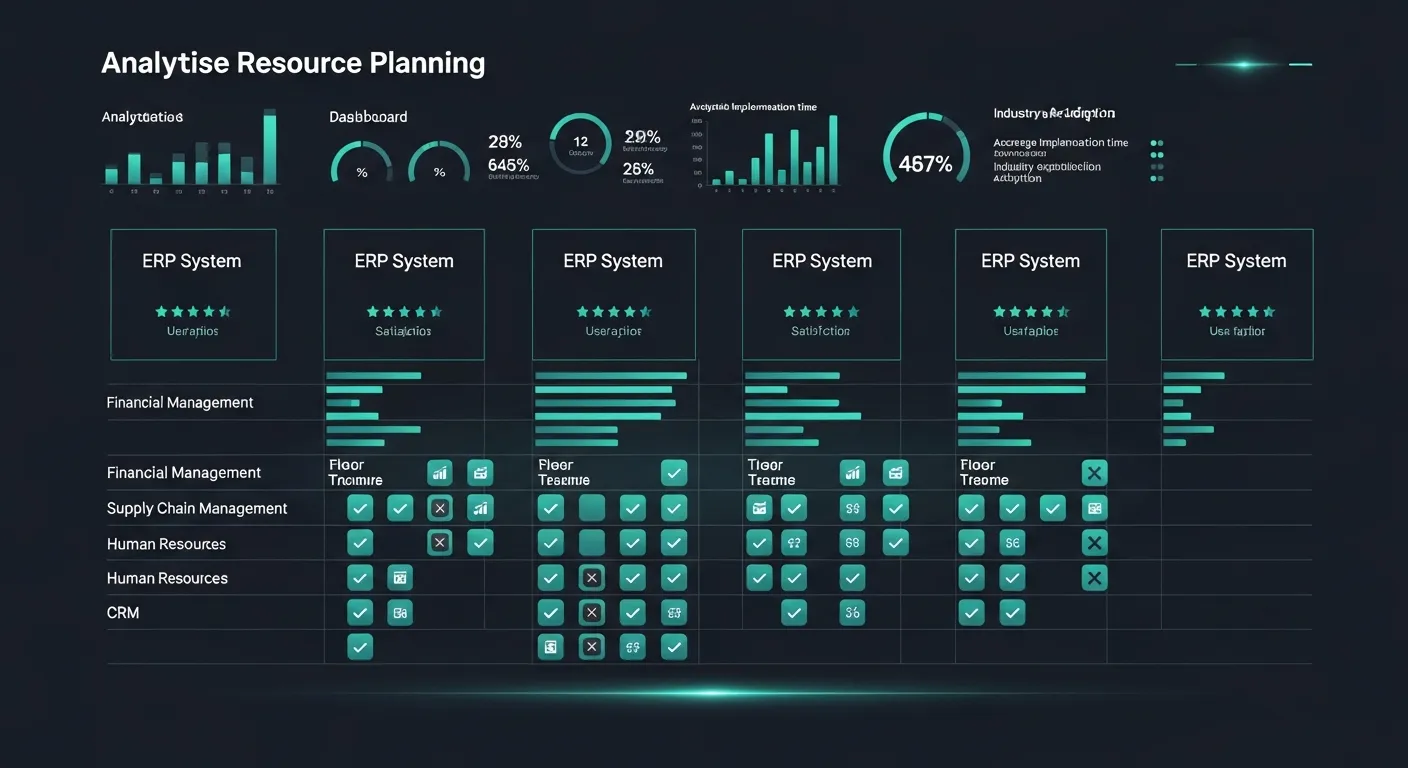
Choosing the right ERP system can make or break your business operations. With dozens of enterprise resource planning solutions on the market, each promising to streamline your workflows, the decision can feel overwhelming.
This comprehensive ERP comparison chart breaks down the top systems by industry, deployment model, pricing, and key features—so you can make an informed decision that aligns with your business goals.
Ultimate ERP Comparison by Industry
Different industries have unique requirements when it comes to ERP systems. A manufacturing company needs robust production planning, while a healthcare organization prioritizes compliance and patient data management. Below, we compare the leading ERP solutions across four key industries.
Manufacturing ERP Systems
Manufacturing businesses require ERP systems that excel in production planning, supply chain management, and quality control. Here's how the top manufacturing ERP solutions compare:
| ERP System | Features | Scalability | Cost | Deployment Options |
|---|---|---|---|---|
| SAP S/4HANA | Advanced production planning, real-time analytics, IoT integration | Enterprise-grade | $150+/user/month | Cloud, On-Premise, Hybrid |
| Microsoft Dynamics 365 | Supply chain management, AI-driven insights, mixed reality | Mid to Enterprise | $100–$210/user/month | Cloud, On-Premise |
| Oracle NetSuite | Order management, demand planning, warehouse management | Mid to Enterprise | $99+/user/month | Cloud |
| Epicor Kinetic | Shop floor control, MES integration, quality management | Small to Mid | $75+/user/month | Cloud, On-Premise, Hybrid |
| Infor CloudSuite | Industry-specific modules, predictive analytics, asset management | Mid to Enterprise | $100+/user/month | Cloud, Hybrid |
Beyond the general overview, here's a deeper look at how these manufacturing ERP systems perform across critical operational capabilities:
| ERP System | Production Planning | Supply Chain Integration | Inventory Management | Quality Control | Customer Support |
|---|---|---|---|---|---|
| SAP S/4HANA | Advanced MRP, capacity planning | End-to-end visibility | Real-time tracking | Comprehensive QMS | 24/7 premium support |
| Microsoft Dynamics 365 | AI-powered scheduling | Strong integration | Multi-warehouse support | Built-in quality checks | Microsoft partner network |
| Oracle NetSuite | Work orders, routing | Demand-driven planning | Lot and serial tracking | Inspection workflows | Online resources, phone support |
| Epicor Kinetic | Job-based scheduling | Supplier portal | Bin-level tracking | SPC, CAPA management | Dedicated account managers |
| Infor CloudSuite | Industry-specific planning | Nexus-powered network | Multi-site management | Compliance tracking | Concierge-level support |
Retail ERP Systems
Retail businesses need ERP systems that handle omnichannel operations, point-of-sale integration, and customer relationship management. Here's a comparison of the top retail ERP solutions:
| ERP System | Features | Scalability | Cost | Deployment |
|---|---|---|---|---|
| Oracle NetSuite | Omnichannel commerce, CRM, financials | Mid to Enterprise | $99+/user/month | Cloud |
| Odoo | Modular POS, eCommerce, inventory | Small to Mid | $20+/user/month | Cloud, On-Premise |
| Brightpearl | Retail-focused automation, order management | Small to Mid | Custom pricing | Cloud |
| Shopify Plus | eCommerce-first, multi-storefront, POS | Small to Mid | $2,000+/month | Cloud |
| Microsoft Dynamics 365 Commerce | Unified commerce, AI recommendations, loyalty | Mid to Enterprise | $180+/user/month | Cloud, On-Premise |
Let's dive deeper into how these retail ERP systems handle specific retail operations:
| ERP System | POS Integration | eCommerce Support | Customer Management | Multi-Channel Retail | Inventory Tracking | Customer Support |
|---|---|---|---|---|---|---|
| Oracle NetSuite | SuiteCommerce POS | Built-in SuiteCommerce | Advanced CRM | Unified omnichannel | Real-time, multi-location | Premium support available |
| Odoo | Native POS module | Integrated eCommerce | Built-in CRM | Multi-channel support | Barcode scanning | Community + enterprise |
| Brightpearl | Third-party integrations | Shopify, Amazon, eBay | Order-centric CRM | Strong marketplace support | Automated replenishment | Dedicated success team |
| Shopify Plus | Shopify POS Pro | Industry-leading platform | Customer segmentation | Multi-storefront | Centralized inventory | 24/7 priority support |
| Microsoft Dynamics 365 Commerce | Cloud POS | Headless commerce | AI-driven insights | Full omnichannel | Distributed order management | Microsoft partner ecosystem |
Healthcare ERP Systems
Healthcare organizations face unique challenges including regulatory compliance, patient data security, and complex billing requirements. Here's how top healthcare ERP solutions compare:
| ERP System | Features | Scalability | Cost | Deployment |
|---|---|---|---|---|
| Epicor | Healthcare supply chain, compliance tracking | Small to Mid | $75+/user/month | Cloud, On-Premise |
| Sage Intacct | Financial management, grant tracking, reporting | Small to Mid | $400+/month (base) | Cloud |
| Infor CloudSuite Healthcare | Clinical operations, supply management, analytics | Mid to Enterprise | $100+/user/month | Cloud, Hybrid |
| Workday | HCM, financial planning, workforce management | Mid to Enterprise | $100+/user/month | Cloud |
| Oracle Healthcare Cloud | Patient engagement, revenue cycle, data analytics | Enterprise-grade | $150+/user/month | Cloud |
Here's a closer look at how these healthcare ERP systems handle industry-specific requirements:
| ERP System | Patient Data Management | HIPAA Compliance | Billing & Invoicing | EHR Integration | Financial Management | Customer Support |
|---|---|---|---|---|---|---|
| Epicor | Basic patient tracking | Configurable compliance | Standard billing | Third-party integration | Core financials | Dedicated account managers |
| Sage Intacct | Limited (finance-focused) | SOC 1 & SOC 2 certified | Advanced billing automation | API-based integration | Best-in-class financials | Online resources, phone |
| Infor CloudSuite Healthcare | Comprehensive clinical data | Full HIPAA compliance | Revenue cycle management | Native EHR integration | Healthcare-specific GL | Concierge support |
| Workday | Workforce-focused data | HIPAA-ready platform | Payroll & billing | Partner integrations | Adaptive planning | Community + premium tiers |
| Oracle Healthcare Cloud | Full patient lifecycle | Enterprise-grade compliance | Complex claims management | Deep EHR/EMR integration | Advanced analytics | 24/7 enterprise support |
Service-Based ERP Systems
Service-oriented businesses—such as consulting firms, IT companies, and professional services—need ERP systems built around project management, resource planning, and time tracking. Here's how the top solutions compare:
| ERP System | Features | Scalability | Cost | Deployment |
|---|---|---|---|---|
| Deltek | Project accounting, resource management, compliance | Small to Enterprise | $30+/user/month | Cloud, On-Premise |
| Workday | HCM, financial planning, professional services automation | Mid to Enterprise | $100+/user/month | Cloud |
| Acumatica | Project accounting, CRM, service management | Small to Mid | Resource-based pricing | Cloud, On-Premise |
| Zoho Projects | Task management, time tracking, collaboration | Small to Mid | $5+/user/month | Cloud |
| Microsoft Dynamics 365 PSA | Project operations, resource scheduling, billing | Mid to Enterprise | $120+/user/month | Cloud |
Here's a detailed comparison of service-specific capabilities:
| ERP System | Project Management | Time Tracking | Resource Planning | Invoicing & Billing | CRM Integration | Customer Support |
|---|---|---|---|---|---|---|
| Deltek | Advanced project accounting | Built-in timesheets | Skill-based allocation | Milestone & T&M billing | Native CRM module | Industry-specialized support |
| Workday | PSA automation | Mobile time entry | Demand-based planning | Automated invoicing | Partner integrations | Global support team |
| Acumatica | Project tracking & budgeting | Activity-based tracking | Visual resource boards | Flexible billing rules | Built-in CRM | Partner-delivered support |
| Zoho Projects | Gantt charts, Kanban boards | Timer & manual logging | Basic resource scheduling | Zoho Invoice integration | Zoho CRM sync | Email & community forums |
| Microsoft Dynamics 365 PSA | End-to-end project ops | Integrated time capture | AI-driven scheduling | Contract-based billing | Dynamics 365 CRM native | Microsoft Premier support |
All-In-One ERP Solutions
All-in-one ERP solutions provide comprehensive functionality across multiple business areas, making them ideal for organizations that want a single platform to manage finance, operations, CRM, and more. Here's how the top all-in-one systems stack up:
| ERP System | Features | Scalability | Cost | Deployment |
|---|---|---|---|---|
| Oracle NetSuite | Financials, CRM, eCommerce, HR, inventory | Mid to Enterprise | $99+/user/month | Cloud |
| SAP S/4HANA | Finance, supply chain, manufacturing, analytics | Enterprise-grade | $150+/user/month | Cloud, On-Premise, Hybrid |
| Microsoft Dynamics 365 | Finance, operations, sales, customer service, HR | Mid to Enterprise | $70–$210/user/month | Cloud, On-Premise |
| Infor CloudSuite | Industry-specific modules, analytics, supply chain | Mid to Enterprise | $100+/user/month | Cloud, Hybrid |
| Acumatica | Finance, distribution, CRM, project accounting | Small to Mid | Resource-based pricing | Cloud, On-Premise |
Here's a deeper comparison of how these all-in-one ERP systems handle specific capabilities:
| ERP System | Customization | CRM Integration | Inventory Management | Reporting & Analytics | Third-Party Integrations | Customer Support |
|---|---|---|---|---|---|---|
| Oracle NetSuite | SuiteScript, SuiteFlow | Native CRM included | Multi-location, real-time | Built-in SuiteAnalytics | Extensive marketplace | Premium tiers available |
| SAP S/4HANA | ABAP, Fiori extensions | SAP CRM / C/4HANA | Advanced warehouse mgmt | SAP Analytics Cloud | SAP Integration Suite | 24/7 global support |
| Microsoft Dynamics 365 | Power Platform, low-code | Native Dynamics CRM | AI-driven inventory | Power BI integration | AppSource marketplace | Microsoft partner network |
| Infor CloudSuite | Infor OS platform | Infor CRM included | Industry-specific WMS | Birst analytics | ION integration platform | Concierge-level service |
| Acumatica | Open API, xRP platform | Built-in CRM | Connected warehouse | Generic inquiry, dashboards | Open API ecosystem | Partner-delivered support |
Cloud vs On-Premise ERP
One of the most critical decisions when selecting an ERP system is the deployment model. Each approach—cloud, on-premise, and hybrid—has distinct advantages and trade-offs. Here's a comprehensive comparison:
| Type | Cloud ERP | On-Premise ERP | Hybrid ERP |
|---|---|---|---|
| Advantages | Lower upfront costs, automatic updates, global accessibility, quick deployment | Full data control, deep customization, no recurring subscription fees | Flexibility, phased migration, best of both worlds |
| Disadvantages | Ongoing subscription costs, internet dependency, limited customization | High upfront investment, IT maintenance required, slower updates | Complex architecture, higher integration costs, dual maintenance |
| Customization | Configuration-based, limited deep customization | Fully customizable source code access | Customizable on-premise modules with cloud flexibility |
| Deployment Speed | Weeks to months | Months to years | Months (phased approach) |
| Security | Vendor-managed, SOC 2 certified, encrypted data | Company-controlled, customizable security policies | Split responsibility, sensitive data kept on-premise |
| Maintenance Costs | Included in subscription, vendor-managed | 15–22% of license cost annually for support | Mixed—cloud portion included, on-premise requires IT staff |
| Accessibility | Anywhere with internet, mobile-friendly | Typically limited to office network or VPN | Cloud modules accessible remotely, on-premise via VPN |
Small Business vs Large Enterprise
The ERP needs of a 50-person company differ drastically from those of a 50,000-person enterprise. Here's a side-by-side comparison to help you find the right fit based on your company size:
| Company Size | Small Business | Large Enterprise |
|---|---|---|
| ERP System | Odoo, Zoho ERP | SAP S/4HANA, Oracle NetSuite, Microsoft Dynamics 365 |
| Features | Modular apps, POS, CRM, inventory | Full enterprise suite, AI, IoT |
| Scalability | Grows with you, Best for <500 users | Unlimited scalability, Enterprise-level |
| Cost | $20+/user/month | $150+/user/month, $99+/user/month, $70–$210/user/month |
| Customization | Open-source, highly flexible | Deeply customizable, SuiteScript/SuiteFlow, Power Platform/low-code |
| Integration | API-based, 40+ apps | SAP Integration Suite, SuiteCloud Connect, AppSource/Azure |
| Reporting | Built-in dashboards | SAP Analytics Cloud, SuiteAnalytics, Power BI |
| UX | Modern, intuitive | Fiori UX (learning curve), Role-based dashboards, Familiar Microsoft UI |
| Customer Support | Community + enterprise | 24/7 global premium, Premium support tiers, Microsoft partner network |
ERP Pricing Comparison
Understanding the true cost of an ERP system goes beyond the sticker price. Implementation, customization, training, and ongoing fees can significantly impact your total cost of ownership. Here's a detailed pricing comparison:
| ERP System | Pricing Model | Starting Price | Additional Costs | Customization Costs | Implementation Time | Subscription Fees |
|---|---|---|---|---|---|---|
| SAP S/4HANA | Per user + modules | $150+/user/month | Implementation: $500K–$2M+ | $200–$400/hour (consultants) | 6–18 months | Annual licensing + support |
| Oracle NetSuite | Base + per user | $99+/user/month | Implementation: $25K–$100K+ | $150–$250/hour | 3–6 months | Monthly subscription |
| Odoo | Per user + apps | $20+/user/month | Implementation: $5K–$50K | $50–$150/hour | 1–4 months | Monthly per app/user |
| Acumatica | Resource-based | Custom (resource-based) | Implementation: $25K–$100K | $100–$200/hour | 3–9 months | Annual subscription |
| Zoho ERP | Per user + modules | $14+/user/month | Implementation: $2K–$20K | $30–$100/hour | 1–3 months | Monthly/annual plans |
Key Criteria to Consider
When comparing ERP systems, it's essential to evaluate each solution against a set of standardized criteria. Here are the seven most important factors to consider:
1. Scalability
Your ERP system should grow with your business. Consider whether the solution can handle increasing transaction volumes, additional users, new locations, and expanded product lines without requiring a complete system overhaul. A scalable ERP ensures that your investment continues to deliver value as your organization evolves.
Tip: Ask vendors about their largest customer deployments and how the system performs at scale. Request case studies from companies similar in size to your growth projections.
2. Customizability
Every business has unique processes that may not fit neatly into an out-of-the-box solution. Evaluate how easily the ERP can be customized—whether through configuration, low-code tools, or full development capabilities. Keep in mind that heavy customization can increase implementation time, costs, and complexity during upgrades.
Tip: Prioritize configuration over customization wherever possible. Custom code can create upgrade headaches and increase long-term maintenance costs.
3. Integration Capabilities
Modern businesses rely on a constellation of software tools. Your ERP system needs to integrate seamlessly with existing applications—CRM, eCommerce platforms, payment gateways, business intelligence tools, and more. Look for systems that offer robust APIs, pre-built connectors, and an active integration ecosystem.
Tip: Create a list of all your current and planned software integrations before evaluating ERP systems. Check that pre-built connectors exist for your most critical integrations.
4. Cost
Look beyond the monthly subscription price to understand the total cost of ownership (TCO). Factor in implementation services, data migration, training, customization, ongoing support, and potential costs for future upgrades. A cheaper system upfront may end up costing more in the long run if it requires extensive customization or frequent add-on purchases.
Tip: Request a detailed TCO breakdown from each vendor covering a 5-year period. Include hidden costs like additional storage fees, API call limits, and premium support charges.
5. User Experience
The best ERP system in the world is useless if your team won't use it. Evaluate the user interface for intuitiveness, mobile accessibility, role-based dashboards, and overall ease of use. A system with a poor user experience will lead to low adoption rates, workarounds, and reduced ROI.
Tip: Involve end users in the evaluation process. Run pilot tests with real workflows and gather feedback from the people who will use the system daily.
6. Customer Support
ERP implementations are complex, and ongoing support is critical for long-term success. Evaluate each vendor's support offerings—including response times, support channels (phone, email, chat), dedicated account managers, knowledge bases, and community forums. Also consider the availability of local implementation partners.
Tip: Check independent review sites for customer support ratings. Ask for references from current customers in your industry and region to gauge real-world support quality.
7. Deployment Options
Consider whether cloud, on-premise, or hybrid deployment best fits your organization's needs. Cloud solutions offer faster deployment and lower upfront costs, while on-premise solutions provide greater control over data and security. Hybrid models offer flexibility but add architectural complexity.
Tip: Assess your IT infrastructure, security requirements, and regulatory obligations before choosing a deployment model. Industries with strict data residency requirements may need on-premise or hybrid options.
Final Considerations
Before making your final ERP decision, ask yourself these critical questions:
- Does the ERP system align with my industry's specific requirements and compliance standards?
- Can the system scale to support my business growth over the next 5–10 years?
- What is the total cost of ownership, including implementation, training, and ongoing maintenance?
- How well does the ERP integrate with my existing technology stack?
- Does the vendor have a proven track record with companies similar to mine in size and industry?
- What is the expected timeline for full implementation and user adoption?
- How will the ERP system impact my team's daily workflows and productivity?
- What change management and training resources does the vendor provide?
Taking the time to thoroughly evaluate your options against these questions will help you avoid costly mistakes and select a system that truly supports your business objectives.
Maximize Growth
The right ERP system is more than just software—it's a strategic investment in your company's future. By leveraging the comparison charts and criteria outlined in this guide, you can confidently evaluate, compare, and select the ERP solution that best fits your industry, budget, and growth plans.
Whether you're a small business looking for an affordable, modular solution or a large enterprise requiring a robust, globally scalable platform, there's an ERP system designed for your needs. Start by defining your requirements, involve key stakeholders in the evaluation process, and don't rush the decision—getting it right the first time will save you significant time, money, and operational disruption in the long run.