

ERP Implementation Checklist: Ensure a Flawless Rollout from Start to Finish
Ensure a Flawless Rollout from Start to Finish

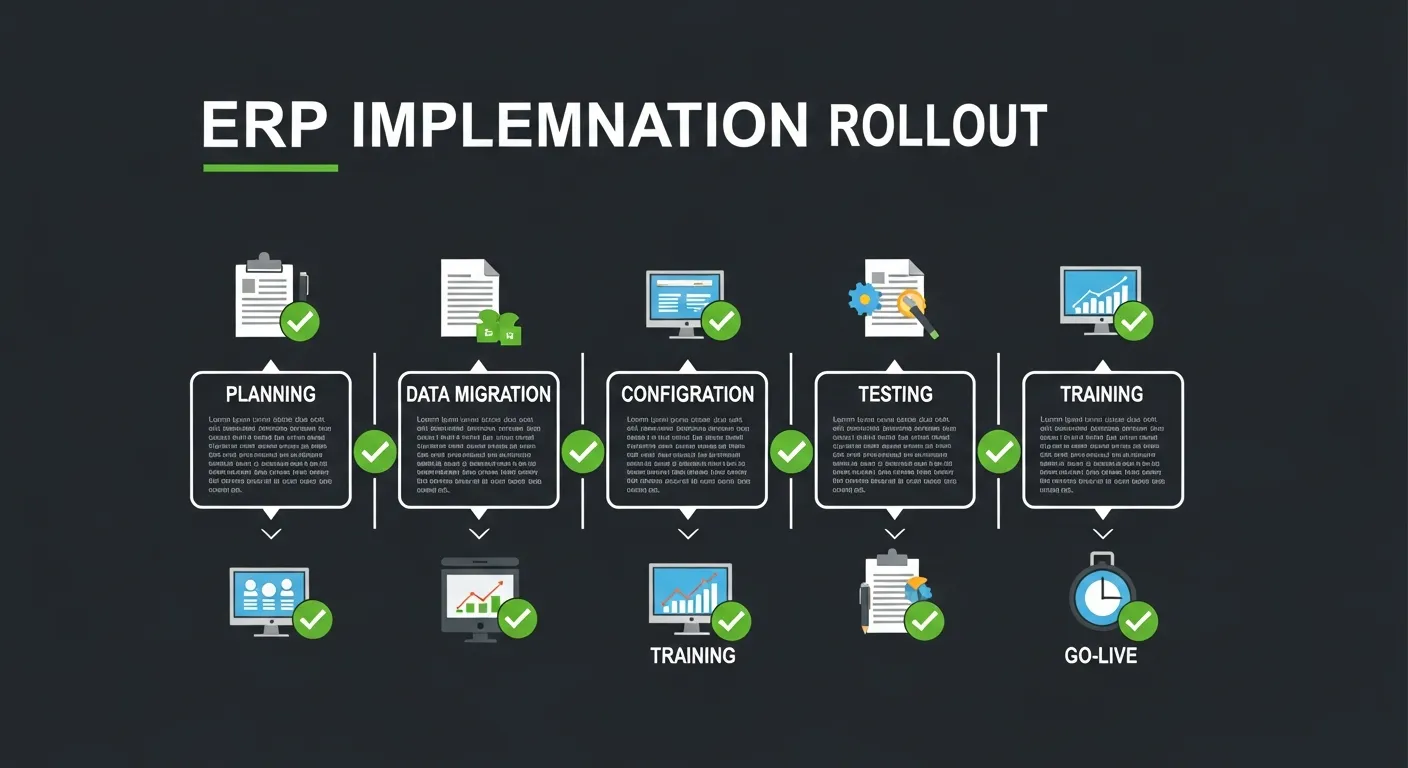
Implementing an ERP system is no small feat—it's often compared to changing the engine of a plane mid-flight! Every department, every workflow, and every data point must transition seamlessly while the business continues to operate. Get it right, and you unlock unprecedented efficiency. Get it wrong, and you're looking at costly delays, frustrated teams, and wasted resources.
Studies show that nearly 50% of ERP implementations go over budget, and a significant number fail to meet their original objectives. The difference between success and failure? A structured, comprehensive implementation checklist that leaves nothing to chance.
This guide walks you through every critical phase of ERP implementation—from the initial groundwork to continuous improvement—ensuring your organization is fully equipped for a flawless rollout. Whether you're a project manager, IT leader, or business executive, this checklist will serve as your definitive roadmap to ERP success.
8-Step Guide to Success
A successful ERP implementation follows a proven, phased approach. Each phase builds upon the previous one, creating a structured pathway from initial assessment to long-term optimization. Here are the 8 essential phases that form the backbone of every successful ERP rollout:
- Pre-Implementation Phase – Laying the groundwork and assessing readiness
- Planning Phase – Building your roadmap and assembling resources
- Design Phase – Blueprinting your system architecture and processes
- Development Phase – Building, configuring, and customizing the system
- Testing Phase – Validating quality, performance, and security
- Deployment Phase – Going live with confidence and support
- Post-Implementation Phase – Monitoring, optimizing, and stabilizing
- Continuous Improvement – Evolving with your business needs
1. Pre-Implementation Phase
The pre-implementation phase is where you lay the foundation for your entire ERP journey. Skipping or rushing through this phase is the number one reason ERP projects fail. Take the time to assess your organization's readiness, define clear objectives, assemble the right team, and select the best-fit ERP solution.
Assessing Organizational Readiness
Before diving into an ERP project, your organization must be genuinely prepared for the transformation ahead.
- Evaluate current business processes and identify pain points that the ERP system should address
- Assess the organization's culture and appetite for change to gauge resistance levels
- Review existing IT infrastructure and determine compatibility with modern ERP platforms
- Conduct a skills gap analysis to identify training needs across departments
- Establish executive sponsorship and secure commitment from senior leadership
Defining Project Scope and Objectives
Clear scope definition prevents the dreaded scope creep that derails so many ERP projects.
- Document specific business objectives and measurable outcomes expected from the ERP system
- Define which departments, processes, and locations will be included in the implementation
- Establish clear boundaries for what is in-scope and out-of-scope for the initial rollout
- Set realistic timelines and milestones aligned with business priorities and resource availability
- Create a business case with ROI projections to justify the investment and maintain stakeholder support
Forming the Implementation Team
The right team is the engine that drives a successful ERP implementation.
- Appoint an experienced project manager with a track record in ERP or large-scale IT projects
- Identify functional leads from each department who understand day-to-day operations
- Recruit technical specialists for system configuration, customization, and integration
- Designate change management champions to facilitate communication and user adoption
- Establish a steering committee of senior executives to provide oversight and resolve escalations
Selecting the Right ERP Solution
Choosing the right ERP platform is a decision that will impact your business for years to come.
- Develop a comprehensive requirements document based on current and future business needs
- Evaluate multiple ERP vendors using a structured scoring matrix covering functionality, scalability, and cost
- Request detailed product demonstrations tailored to your specific industry and use cases
- Check vendor references and case studies from organizations similar to yours in size and complexity
- Negotiate contracts carefully, including implementation support, licensing terms, and ongoing maintenance agreements
2. Planning Phase
With the groundwork in place, the planning phase transforms your vision into a detailed, actionable roadmap. This is where you define how every aspect of the implementation will unfold—from project timelines to risk mitigation strategies.
Developing a Detailed Project Plan
A robust project plan is your single source of truth throughout the implementation journey.
- Create a work breakdown structure (WBS) that decomposes the project into manageable tasks and deliverables
- Define task dependencies, critical path activities, and realistic duration estimates for each phase
- Allocate resources and assign clear ownership for every task and milestone
- Establish a project governance framework with regular status reporting and review cadences
- Build in buffer time for unexpected issues, ensuring the timeline remains achievable under real-world conditions
Identifying Key Stakeholders
Stakeholder alignment is the glue that holds the entire project together.
- Map all stakeholders across the organization, from C-suite executives to end users
- Classify stakeholders by influence and impact to prioritize engagement efforts
- Develop tailored communication plans for each stakeholder group with appropriate messaging
- Schedule regular stakeholder meetings to gather input, address concerns, and maintain buy-in
Risk Assessment and Mitigation
Proactive risk management separates successful implementations from troubled ones.
- Conduct a thorough risk assessment identifying technical, organizational, and operational risks
- Prioritize risks by likelihood and impact using a risk matrix framework
- Develop specific mitigation strategies and contingency plans for each high-priority risk
- Assign risk owners responsible for monitoring and responding to emerging threats
- Establish a regular risk review cadence to reassess and update the risk register throughout the project
Change Management Planning
People, not technology, determine whether an ERP implementation succeeds or fails.
- Develop a comprehensive change management strategy addressing awareness, desire, knowledge, ability, and reinforcement
- Create a communication plan that addresses the "why" behind the change and its benefits for each role
- Identify potential resistance points and develop targeted interventions to address concerns
- Plan for organizational restructuring or role changes that may result from new processes
- Establish feedback mechanisms to capture employee sentiment and adjust the approach accordingly
Data Migration Strategy
Your data is the lifeblood of your ERP system—migrating it correctly is non-negotiable.
- Inventory all data sources and categorize data by type, quality, and migration priority
- Define data cleansing rules and standards to ensure only accurate, relevant data enters the new system
- Design the data mapping between legacy systems and the new ERP, accounting for format differences
- Plan multiple trial migrations to validate accuracy and identify issues before the final cutover
- Establish data governance policies to maintain data quality standards post-migration
3. Design Phase
The design phase is where your ERP system takes shape on paper before a single line of code is written. This phase translates business requirements into technical specifications, ensuring the system architecture aligns perfectly with your operational needs.
Business Process Mapping
Understanding your current and desired future-state processes is essential for effective system design.
- Document all current ("as-is") business processes across every department included in the implementation
- Design optimized future-state ("to-be") processes that leverage the ERP system's capabilities
- Identify process gaps between current operations and ERP best practices that need to be addressed
- Validate redesigned processes with department heads and key users to ensure practical feasibility
- Create detailed process flow diagrams that serve as blueprints for system configuration
Identifying Customization Needs
Balancing customization with standard functionality is one of the most critical design decisions.
- Catalog all requested customizations and evaluate each against the ERP system's standard features
- Classify customizations as essential, nice-to-have, or unnecessary to prioritize development efforts
- Assess the long-term maintenance impact of each customization on future upgrades and patches
- Explore configuration options and workarounds that can achieve the desired outcome without custom code
- Document approved customizations with detailed functional specifications and acceptance criteria
Designing System Architecture
The system architecture must support your current needs while allowing for future growth.
- Define the overall technical architecture including servers, databases, networking, and security layers
- Plan for scalability to accommodate business growth, additional users, and increased transaction volumes
- Design the disaster recovery and business continuity architecture to protect against data loss
- Establish environment strategy including development, testing, staging, and production instances
- Document technical standards, naming conventions, and coding guidelines for consistency
Establishing Integration Requirements
Modern businesses rely on interconnected systems—your ERP must communicate seamlessly with all of them.
- Inventory all existing systems that need to integrate with the ERP, including CRM, e-commerce, and reporting tools
- Define integration patterns (real-time, batch, event-driven) appropriate for each system connection
- Specify data exchange formats, protocols, and API requirements for each integration point
- Plan for error handling, retry logic, and monitoring of integration processes
- Design integration testing scenarios to validate data flow accuracy and reliability across systems
User Interface and Experience Planning
A well-designed user experience directly impacts adoption rates and productivity.
- Design role-based dashboards and workspaces that present relevant information for each user group
- Plan navigation structures and menu layouts that align with natural workflow patterns
- Define report templates and data visualization requirements for key business metrics
- Ensure accessibility compliance and mobile responsiveness for users accessing the system remotely
- Create UI mockups and prototypes for stakeholder review and approval before development begins
4. Development Phase
The development phase brings your design to life. This is where the ERP system is configured, customized, integrated, and prepared for testing. Rigorous attention to detail during development prevents costly rework later.
Configuring the ERP System
System configuration transforms the ERP platform into a solution tailored to your business.
- Set up the organizational structure including company codes, business units, cost centers, and profit centers
- Configure master data templates for customers, vendors, materials, and chart of accounts
- Define workflow rules, approval hierarchies, and automated notifications for key business processes
- Set up security roles, user permissions, and data access controls based on the design specifications
- Configure reporting structures, financial calendars, and compliance-related settings
Developing Customizations
Custom development should follow strict coding standards and documentation practices.
- Develop custom modules, extensions, and modifications according to approved functional specifications
- Follow established coding standards and naming conventions to ensure maintainability
- Conduct code reviews for all custom development to catch issues early and maintain quality
- Document all customizations thoroughly, including purpose, technical details, and dependencies
- Create unit tests for each custom component to verify functionality before integration
Integration with Existing Systems
Seamless integration ensures data flows correctly across your entire technology ecosystem.
- Develop integration interfaces, APIs, and middleware components as defined in the design phase
- Implement data transformation and mapping logic to ensure compatibility between systems
- Build error handling, logging, and alerting mechanisms for all integration points
- Configure message queues and data synchronization schedules for batch processing
- Test each integration point individually to verify data accuracy and reliable connectivity
Building and Testing Data Migration Tools
Robust data migration tools are essential for a clean, accurate transition to the new system.
- Develop automated data extraction scripts for pulling data from legacy systems
- Build data transformation and cleansing tools to convert data into the required ERP formats
- Create data validation scripts that verify accuracy, completeness, and referential integrity post-load
- Conduct multiple trial migrations using production-like data sets to uncover and resolve issues
- Document the complete migration process with step-by-step runbooks for the final cutover
Developing Training Materials
Effective training materials empower users to adopt the new system quickly and confidently.
- Create role-based training guides with screenshots, step-by-step instructions, and real-world examples
- Develop interactive e-learning modules for self-paced learning and ongoing reference
- Build a sandbox training environment that mirrors the production system for hands-on practice
- Prepare quick reference cards and cheat sheets for common tasks and frequently asked questions
- Record video tutorials covering key processes and system navigation for visual learners
5. Testing Phase
Testing is your safety net before going live. A thorough testing phase uncovers defects, validates business processes, and ensures the system performs reliably under real-world conditions. Never cut corners on testing—the cost of fixing issues post-launch is exponentially higher.
Unit Testing
Unit testing validates that individual components and configurations work correctly in isolation.
- Test each configured module and custom component independently against its functional specifications
- Verify all business rules, calculations, and validation logic produce expected results
- Validate data entry forms, field validations, and default value assignments across all modules
- Test workflow triggers, notifications, and automated processes for correct execution
- Document all test results, defects found, and resolutions for traceability and audit purposes
Integration Testing
Integration testing ensures that all system components work together harmoniously.
- Test end-to-end business processes that span multiple modules (e.g., order-to-cash, procure-to-pay)
- Verify data flows correctly between integrated systems with accurate transformations
- Test error handling and recovery scenarios for integration failures and edge cases
- Validate reporting accuracy by comparing outputs across integrated modules and data sources
- Conduct cross-functional testing with representatives from each department to verify process alignment
User Acceptance Testing
UAT puts the system in the hands of actual business users to validate real-world usability.
- Develop UAT test scripts based on real business scenarios and day-to-day operational tasks
- Engage business users from each department to execute test scripts and provide honest feedback
- Track all UAT defects and enhancement requests with clear severity classifications
- Obtain formal sign-off from business process owners confirming the system meets their requirements
- Address all critical and high-priority defects before proceeding to deployment preparation
Performance Testing
Performance testing ensures the system can handle your organization's workload without degradation.
- Conduct load testing to verify system response times under expected concurrent user volumes
- Perform stress testing to identify the system's breaking point and ensure graceful degradation
- Test batch processing performance for large data volumes including month-end and year-end scenarios
- Validate network performance and latency for remote offices and mobile users
- Establish performance baselines and acceptable thresholds for ongoing monitoring post-launch
Security Testing
Security testing protects your organization's data and ensures compliance with regulatory requirements.
- Verify user authentication mechanisms including single sign-on, multi-factor authentication, and password policies
- Test role-based access controls to confirm users can only access data and functions appropriate to their role
- Conduct vulnerability assessments and penetration testing to identify security weaknesses
- Validate data encryption at rest and in transit for sensitive business and personal information
- Verify compliance with industry regulations such as GDPR, SOX, HIPAA, or other applicable standards
6. Deployment Phase
Deployment is the culmination of months of preparation. This phase requires precision, coordination, and a well-rehearsed plan to transition from legacy systems to your new ERP with minimal disruption to business operations.
Final Data Migration
The final data migration is a high-stakes operation that requires meticulous execution.
- Execute the data freeze on legacy systems and communicate the blackout period to all stakeholders
- Run the final data extraction, transformation, and loading process using validated migration tools
- Perform comprehensive data validation checks comparing source and target data for completeness and accuracy
- Verify referential integrity across all migrated data sets to ensure relationships are preserved
- Obtain formal data migration sign-off from data owners before proceeding with system cutover
Go-live Preparation
Thorough go-live preparation ensures every team member knows their role and every contingency is planned.
- Conduct a final go/no-go assessment with all stakeholders to confirm readiness across all dimensions
- Distribute the detailed go-live schedule with assigned responsibilities and escalation contacts
- Verify all technical infrastructure including servers, networks, and backup systems are production-ready
- Prepare rollback procedures and criteria in case critical issues arise during the go-live process
- Set up the war room and communication channels for real-time coordination during the launch
User Training
Final user training ensures everyone is confident and ready to work in the new system from day one.
- Conduct intensive, role-specific training sessions in the weeks leading up to go-live
- Provide hands-on practice in the training environment with realistic data and scenarios
- Distribute quick reference guides, job aids, and FAQ documents to all users
- Identify and train super users who will serve as first-line support within their departments
- Assess user readiness through competency evaluations and address knowledge gaps before launch
System Cutover
The system cutover is the moment of transition—executing it flawlessly is paramount.
- Execute the cutover plan according to the predetermined schedule with real-time progress tracking
- Decommission legacy system access while maintaining read-only archives for reference
- Activate all production system components, integrations, and automated processes
- Perform post-cutover verification checks to confirm all systems are operational and data is accessible
- Communicate the successful cutover to all stakeholders and provide go-live support contact information
Go-live Support
Intensive support during the first days and weeks after go-live is critical for a smooth transition.
- Deploy dedicated hypercare support teams with extended hours during the initial go-live period
- Establish a centralized issue tracking system with defined severity levels and response time SLAs
- Station floor walkers and on-site support staff in key departments to assist users in real-time
- Conduct daily status meetings to review issues, track resolutions, and adjust support resources
- Monitor system performance metrics continuously and address any degradation or bottlenecks immediately
7. Post-Implementation Phase
The post-implementation phase is where you stabilize, optimize, and refine the system based on real-world usage. This phase is often underestimated but is crucial for realizing the full value of your ERP investment.
Monitoring System Performance
Continuous performance monitoring ensures the system operates at peak efficiency.
- Implement automated monitoring dashboards tracking system uptime, response times, and resource utilization
- Set up proactive alerts for performance thresholds, error rates, and capacity limits
- Conduct regular performance reviews comparing actual metrics against established baselines
- Monitor database growth, query performance, and storage utilization to prevent capacity issues
- Track integration performance metrics including message throughput, error rates, and processing times
Addressing Issues and Bugs
Rapid issue resolution maintains user confidence and prevents small problems from becoming major disruptions.
- Maintain a prioritized issue backlog with clear severity classifications and resolution timelines
- Implement a structured triage process to quickly assess, categorize, and assign incoming issues
- Conduct root cause analysis for recurring issues to implement permanent fixes rather than workarounds
- Communicate issue status and resolution timelines transparently to affected users and stakeholders
- Track issue resolution metrics to identify trends and improve the overall system stability
User Support and Feedback Collection
Listening to users and providing ongoing support drives adoption and continuous improvement.
- Establish a dedicated ERP help desk with knowledgeable support staff available during business hours
- Create a self-service knowledge base with searchable articles, how-to guides, and troubleshooting tips
- Conduct regular user satisfaction surveys to gauge adoption levels and identify pain points
- Hold periodic feedback sessions with super users and department representatives to gather improvement ideas
- Analyze support ticket patterns to identify areas where additional training or system refinement is needed
Fine-tuning and Optimization
Post-launch optimization ensures the system evolves to meet actual usage patterns and emerging needs.
- Optimize frequently used reports and queries based on actual usage patterns and performance data
- Refine workflow rules and approval processes based on user feedback and operational experience
- Adjust system configurations and parameters to improve efficiency and reduce manual intervention
- Implement additional automation opportunities identified through post-launch operational analysis
- Review and optimize integration processes to improve data synchronization speed and reliability
Documenting Lessons Learned
Capturing lessons learned creates institutional knowledge that benefits future projects and system enhancements.
- Conduct structured retrospective sessions with all project team members and key stakeholders
- Document what worked well, what could be improved, and unexpected challenges encountered
- Capture quantitative metrics comparing planned vs. actual timelines, budgets, and resource utilization
- Create a comprehensive lessons learned repository accessible to future project teams
- Share key findings with leadership to inform strategic decisions about future technology investments
8. Continuous Improvement
An ERP system is not a "set it and forget it" solution. Continuous improvement ensures your system evolves alongside your business, delivering increasing value over time. This phase transforms your ERP from a tool into a strategic asset.
Ongoing User Training
Continuous learning keeps your team proficient and helps new employees get up to speed quickly.
- Develop a recurring training calendar covering new features, refresher courses, and advanced topics
- Create onboarding training programs for new hires to ensure consistent system knowledge across the organization
- Offer advanced training sessions for power users who want to leverage deeper system capabilities
- Maintain and update training materials to reflect system changes, process updates, and best practices
- Track training completion and competency scores to ensure all users maintain required proficiency levels
Regular System Updates and Patches
Keeping your ERP system current protects against vulnerabilities and unlocks new capabilities.
- Establish a regular update schedule aligned with the vendor's release cycle and your change management process
- Test all updates and patches thoroughly in a non-production environment before deploying to production
- Assess the impact of each update on existing customizations and integrations before applying
- Communicate upcoming changes to users with clear timelines and information about new features or impacts
- Maintain a rollback plan for each update in case unforeseen issues arise during or after deployment
Performance Metrics and KPI Tracking
Data-driven insights enable you to measure ROI and identify opportunities for further improvement.
- Define and track key performance indicators (KPIs) that align with the original business objectives
- Build executive dashboards that provide real-time visibility into system adoption and business impact
- Conduct quarterly business reviews comparing pre-implementation baselines with current performance
- Monitor user adoption metrics including login frequency, feature utilization, and process adherence
- Generate ROI reports that quantify the business value delivered by the ERP implementation
Identifying Areas for Further Optimization
A proactive approach to optimization ensures your ERP system continuously delivers increasing value.
- Conduct periodic process audits to identify inefficiencies and opportunities for automation
- Benchmark your system utilization against industry standards and vendor best practices
- Gather input from users across all departments on workflow improvements and feature requests
- Analyze system usage data to identify underutilized modules and features that could deliver additional value
- Evaluate emerging technologies such as AI, machine learning, and advanced analytics for integration opportunities
Planning for Future Enhancements
Strategic planning ensures your ERP system grows with your business and stays ahead of evolving needs.
- Maintain a prioritized enhancement roadmap aligned with business strategy and technology trends
- Budget annually for system improvements, upgrades, and expansion of ERP capabilities
- Evaluate new modules and add-ons from the vendor that could address emerging business requirements
- Plan for geographic or departmental expansions that may require additional system rollouts
- Stay engaged with the vendor's product roadmap and user community to anticipate upcoming capabilities
ERP Implementation Best Practices
Beyond following a structured checklist, adhering to proven best practices significantly increases your chances of a successful ERP implementation. Here are five essential practices that every organization should embrace:
1. Secure Strong Executive Sponsorship
Executive sponsorship is the single most important success factor in ERP implementations. A committed executive sponsor provides the authority, resources, and organizational focus needed to drive the project forward. They champion the initiative at the board level, resolve cross-departmental conflicts, and ensure the project remains a strategic priority even when competing demands arise.
Key takeaway: Identify an executive sponsor early who is passionate about the project's success and has the organizational authority to remove roadblocks and make binding decisions.
2. Maintain Clear and Consistent Communication
Communication breakdowns are responsible for more ERP failures than technical issues. Establish a comprehensive communication plan that keeps all stakeholders informed about project progress, upcoming changes, and how the new system will impact their daily work. Use multiple channels—email updates, town halls, intranet posts, and department meetings—to ensure every employee receives the information they need.
Key takeaway: Over-communicate rather than under-communicate. Regular, transparent updates build trust and reduce the anxiety that naturally accompanies large-scale change.
3. Set a Realistic Timeline
Unrealistic timelines create pressure that leads to shortcuts, quality compromises, and ultimately, project failure. Base your timeline on realistic estimates that account for the complexity of your organization, the scope of customization required, and the availability of resources. Build in contingency time for unexpected challenges and avoid the temptation to compress the schedule to meet arbitrary deadlines.
Key takeaway: A delayed ERP implementation that launches successfully is infinitely better than an on-time launch that fails. Prioritize quality over speed in your project timeline.
4. Invest in Thorough Testing
Testing is where you discover and fix problems at a fraction of the cost of fixing them in production. Allocate sufficient time and resources for comprehensive testing across all levels—unit, integration, UAT, performance, and security. Involve actual business users in testing to ensure the system works for the people who will use it every day. Never skip or rush testing phases, regardless of timeline pressures.
Key takeaway: Every dollar spent on testing saves ten dollars in post-launch issue resolution. Make testing a non-negotiable part of your implementation plan.
5. Ensure Continuous Stakeholder Engagement
Stakeholder engagement is not a one-time activity at the beginning of the project—it's an ongoing commitment that lasts through implementation and beyond. Regular engagement ensures that the system continues to meet evolving business needs, users feel heard and valued, and potential issues are identified early. Create formal feedback loops and governance structures that keep stakeholders actively involved throughout the entire lifecycle.
Key takeaway: Engaged stakeholders become advocates for the new system. Disengaged stakeholders become sources of resistance. Keep everyone at the table throughout the journey.
Common Challenges
Even with meticulous planning, ERP implementations face predictable challenges. Recognizing these obstacles in advance allows you to prepare effective countermeasures and navigate them successfully.
1. Resistance to Change
Employees naturally resist changes to their established workflows and familiar systems. This resistance can manifest as passive non-compliance, active opposition, or simply reverting to old processes. Left unaddressed, resistance to change can undermine even the best-designed ERP system.
How to Overcome It:
- Involve end users early in the process through focus groups, pilot programs, and feedback sessions
- Communicate the personal benefits of the new system for each role, not just organizational advantages
- Provide comprehensive training that builds confidence and competence in the new system
- Recognize and reward early adopters to create positive momentum and peer influence
- Address concerns promptly and transparently to build trust in the change management process
2. Data Quality Issues
Poor data quality is one of the most common causes of ERP implementation failures. Legacy systems often contain duplicate, incomplete, outdated, or inaccurate data that, if migrated without cleansing, will compromise the new system's effectiveness from day one.
How to Overcome It:
- Start data cleansing early—ideally months before the planned migration date
- Establish data quality standards and assign data stewards responsible for each data domain
- Use automated data profiling tools to identify duplicates, inconsistencies, and gaps
- Conduct multiple trial migrations to validate data accuracy before the final cutover
- Implement ongoing data governance processes to maintain quality standards post-migration
3. Scope Creep
Scope creep occurs when additional features, modules, or requirements are added to the project without corresponding adjustments to budget, timeline, or resources. It's one of the primary drivers of budget overruns and schedule delays in ERP implementations.
How to Overcome It:
- Define a clear, documented project scope with explicit boundaries during the planning phase
- Implement a formal change request process that evaluates the impact of every proposed addition
- Require steering committee approval for any scope changes that affect budget or timeline
- Maintain a "Phase 2" list for valuable but non-essential requirements that can be addressed post-launch
- Regularly review the project scope with stakeholders to ensure alignment and manage expectations
4. Budget Overruns
Budget overruns are alarmingly common in ERP implementations, with many projects exceeding their original budget by 25-50% or more. Common culprits include underestimated customization costs, extended timelines, unexpected integration complexity, and insufficient contingency planning.
How to Overcome It:
- Develop a detailed, realistic budget that includes contingency funds of 15-25% for unexpected costs
- Track expenses against budget in real-time and conduct regular financial reviews with the steering committee
- Minimize customizations where possible and carefully evaluate the cost-benefit of each custom development
- Negotiate fixed-price contracts with implementation partners for well-defined work packages
- Implement a formal change management process that requires budget impact analysis for all scope changes
5. Integration Complexities
Integrating an ERP system with existing applications, databases, and third-party services is often far more complex than initially anticipated. Legacy systems with outdated technologies, undocumented interfaces, and inconsistent data formats create significant technical challenges.
How to Overcome It:
- Conduct a thorough integration assessment during the design phase, documenting all connection points
- Invest in middleware or integration platforms that provide standardized connectivity and monitoring
- Prioritize integration testing early and allocate sufficient time for troubleshooting complex scenarios
- Engage specialists with experience in your specific legacy systems and integration technologies
- Plan for phased integration where possible, starting with critical connections and adding others incrementally
Ensure Your ERP Triumphs
A successful ERP implementation is a transformative journey that requires meticulous planning, dedicated execution, and unwavering commitment from every level of the organization. By following this comprehensive 8-phase checklist, embracing best practices, and proactively addressing common challenges, you position your business for a flawless rollout that delivers lasting value.
Remember, the goal isn't just to implement an ERP system—it's to transform the way your organization operates, make data-driven decisions, and build a foundation for sustainable growth.